1、安装Pandas:
通过Python环境自带的Pip包管理工具就可以安装Pandas模块,命如下:
$ pip install pandas
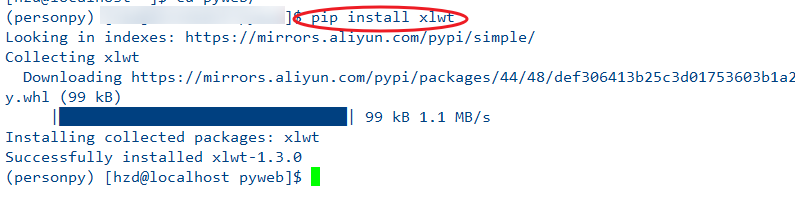
pandas 模块操作excel依赖xlwt模块,所以也必须安装:
$ pip install xlwt
具体如图

2、导入模块,python代码如下:
import pandas as pd

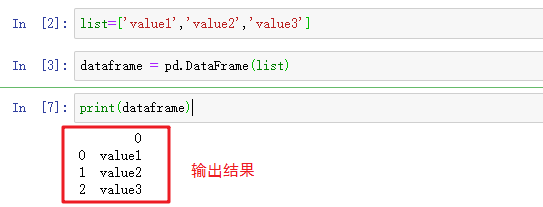
3、创建一个python列表,并把列表转换为pandas的数据结构DataFrame类型,
python代码如下:
list=['value1','value2','value3']
dataframe = pd.DataFrame(list)
print(dataframe)
4、将dataframe保存到excel文件中
python代码如下:
dataframe.to_excel('/home/list.xls')

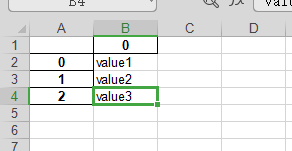
5、执行完成之后,会在保存指定目录,查看excel文件的内容

6、完整代码如下:
import pandas as pd
list=['value1','value2','value3']
dataframe = pd.DataFrame(list)
print(dataframe)
dataframe.to_excel('/home/hzd/list.xls')