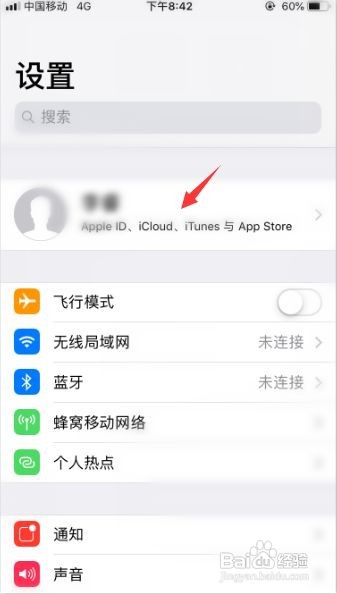
1、进入appleid
在“Apple id”中选择“iTunes store与app store”选项。
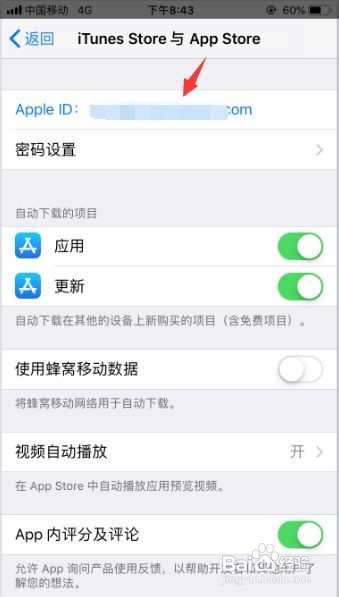
2、查看apple id
点击其中的“Apple id”进入,并点击“查看apple id”。
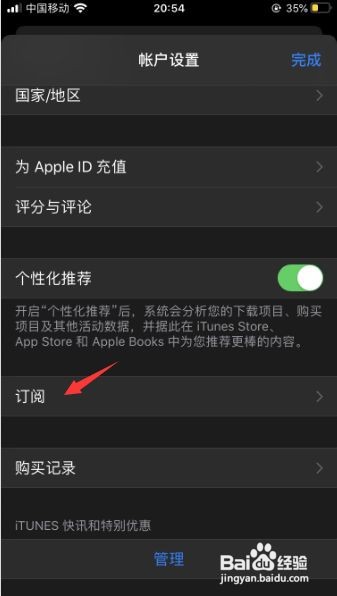
3、进入订阅
在“账户设置”中点击“订阅”进入。
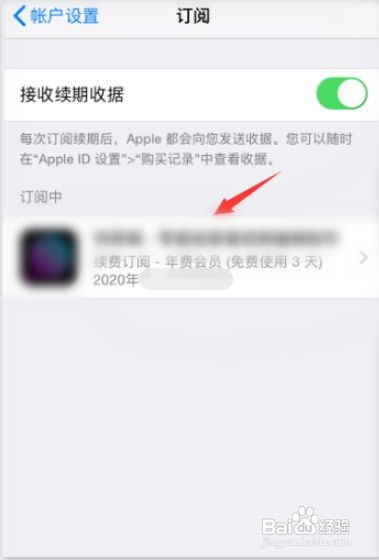
4、点击取消订阅
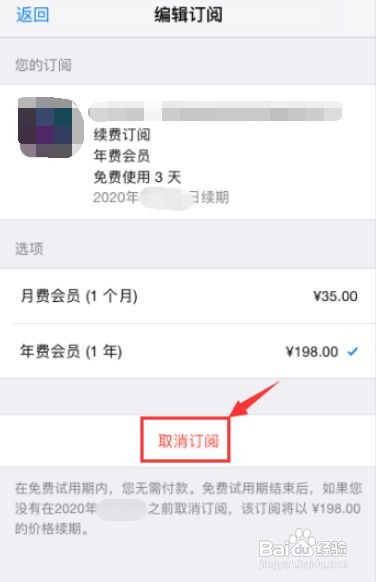
在“订阅栏”中查看处于“订阅中”的项目。点击“取消订阅”,在弹出的提示项中进行“确认”即可取消订阅。
1、进入appleid
在“Apple id”中选择“iTunes store与app store”选项。
2、查看apple id
点击其中的“Apple id”进入,并点击“查看apple id”。
3、进入订阅
在“账户设置”中点击“订阅”进入。
4、点击取消订阅
在“订阅栏”中查看处于“订阅中”的项目。点击“取消订阅”,在弹出的提示项中进行“确认”即可取消订阅。