1、Centos 6.6下安装Mysql很简单,
yum list mysql-server

2、当只有一个时候就可以直接
yum install mysql-server
进行安装
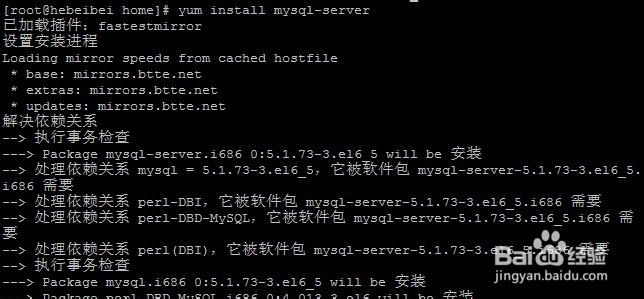
3、过程中选择Y继续安装,最后安装成功

1、先启动Mysql服务
service mysqld start

2、连接一下试一下,直接
mysql
然后
\q
关闭连接

3、设置Mysql开机启动
chkconfig mysqld on
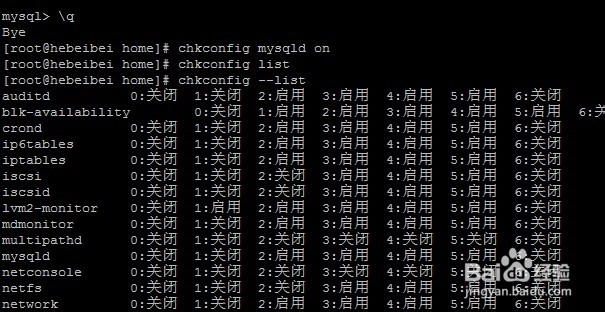
4、开启3306端口并保存
/sbin/iptables -I INPUT -p tcp --dport 3306 -j ACCEPT
/etc/rc.d/init.d/iptables save

1、连接mysql数据库
设置密码
use mysql;
update user set password=password('密码') where user='root';
flush privileges;

2、设置Mysql远程访问
grant all privileges on *.* to 'root'@'%' identified by '123456' with grant option;

1、找一个配置文件,复制到/etc/目录,命名为my.cnf
(有时候没有my.cnf)
cp /usr/share/doc/mysql-server-5.1.73/my-medium.cnf /etc/my.cnf

2、vim my.cnf
在[client]和[mysqld]下面都添加上
default-character-set=utf8

3、最后按Esc输入
:wq
保存退出
1、最后重新启动服务就可以了
service mysqld restart