Keep如何开启自动组建运动小队

时间:2026-02-12 09:29:17

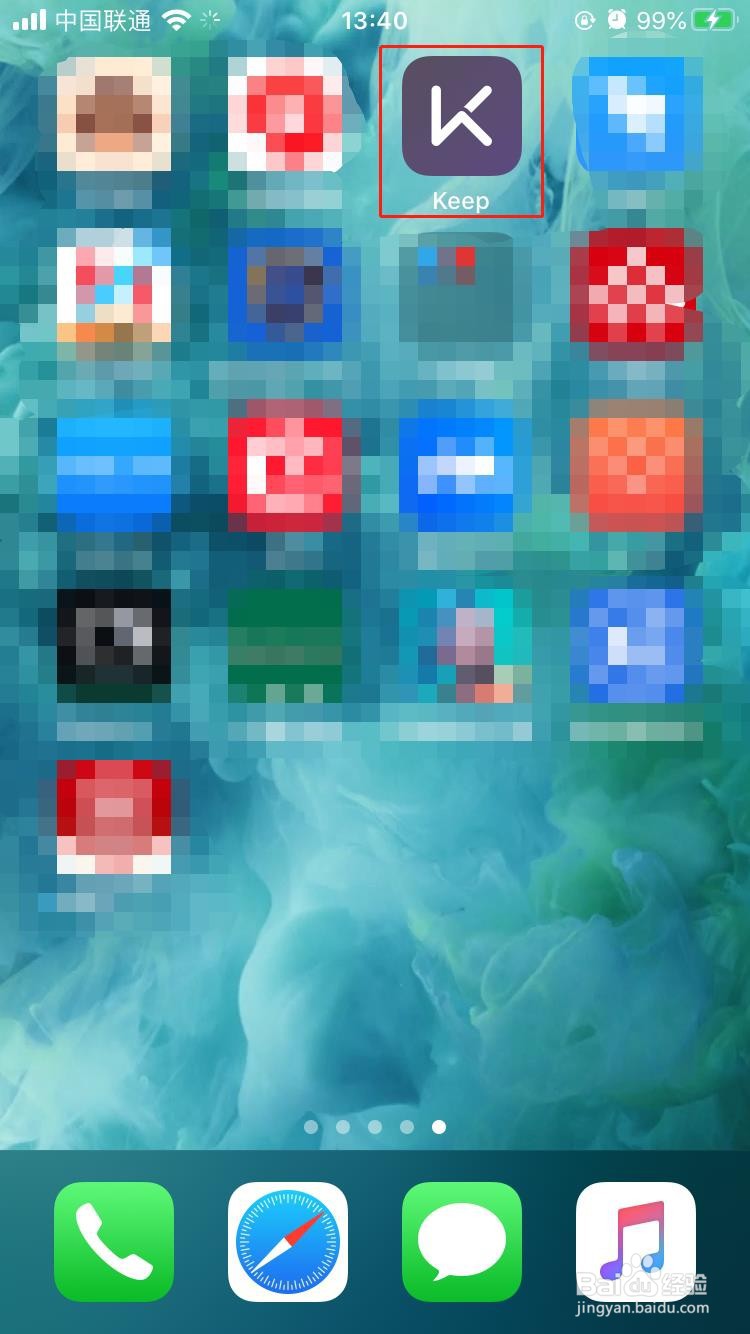
1、1.打开手机中下载好的Keep手机APP

Keep如何开启自动组建运动小队

2、2.点击右下角我的

Keep如何开启自动组建运动小队

3、3.点击左上角头像处

Keep如何开启自动组建运动小队

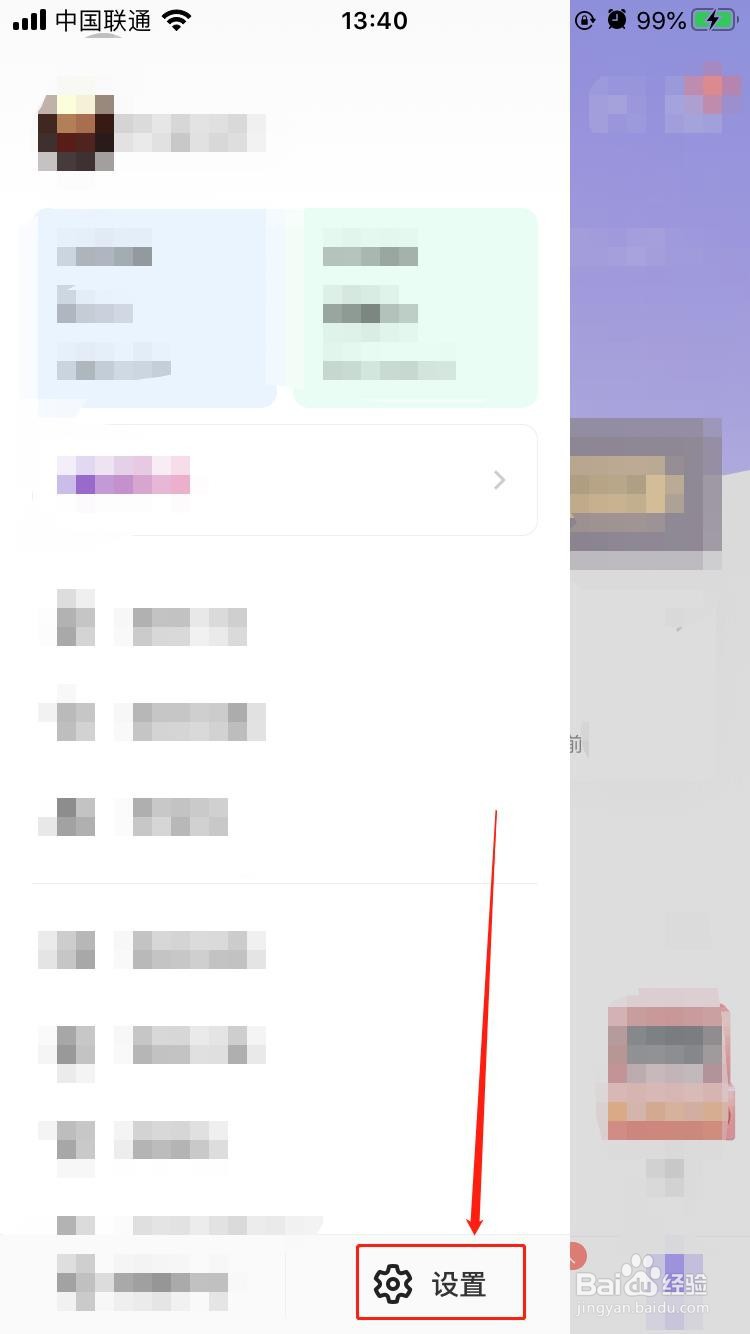
4、4.点击设置

Keep如何开启自动组建运动小队

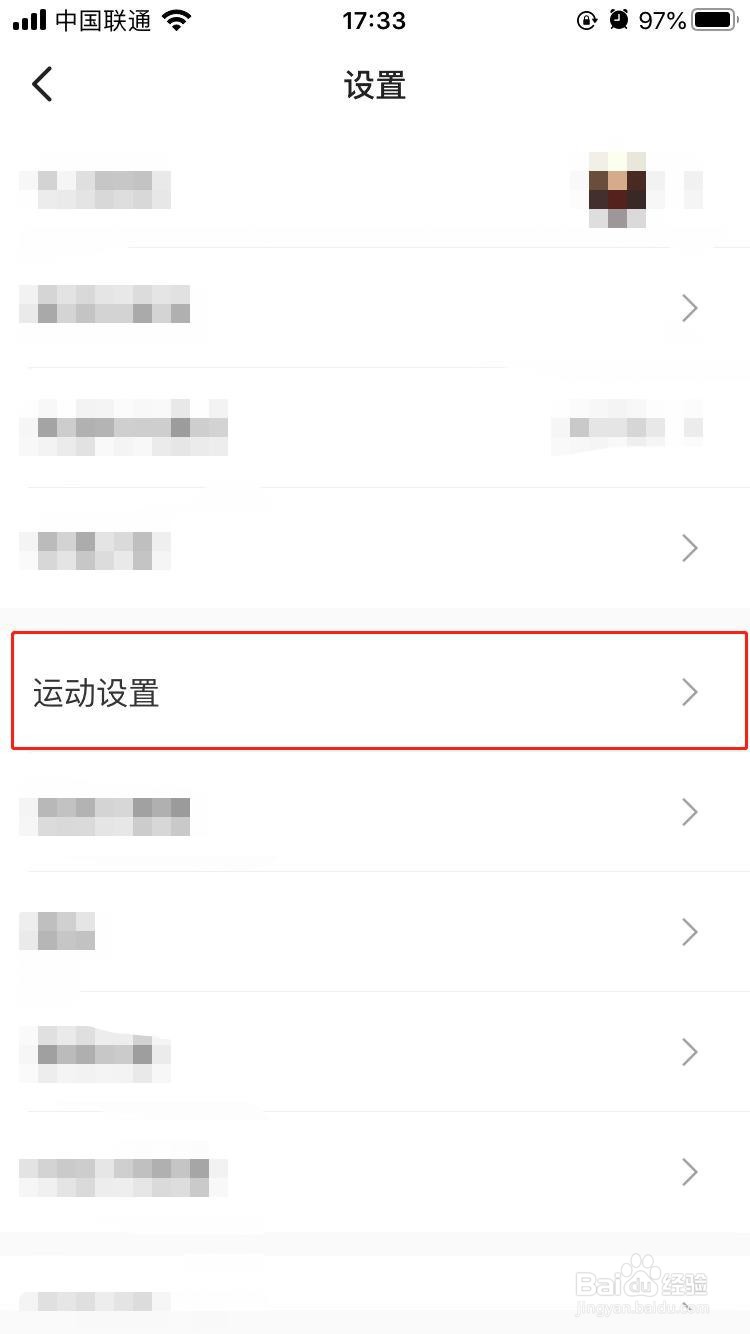
5、5.点击运动设置

Keep如何开启自动组建运动小队

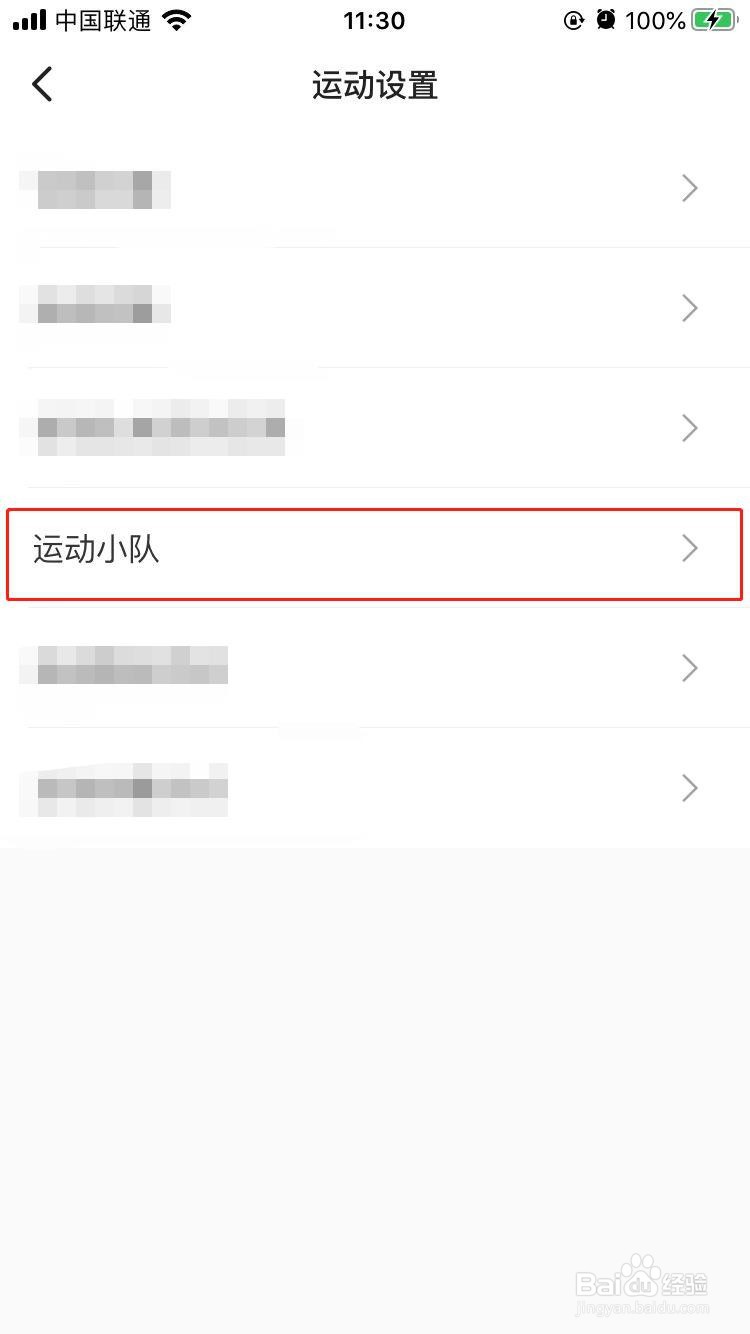
6、6.点击运动小队

Keep如何开启自动组建运动小队

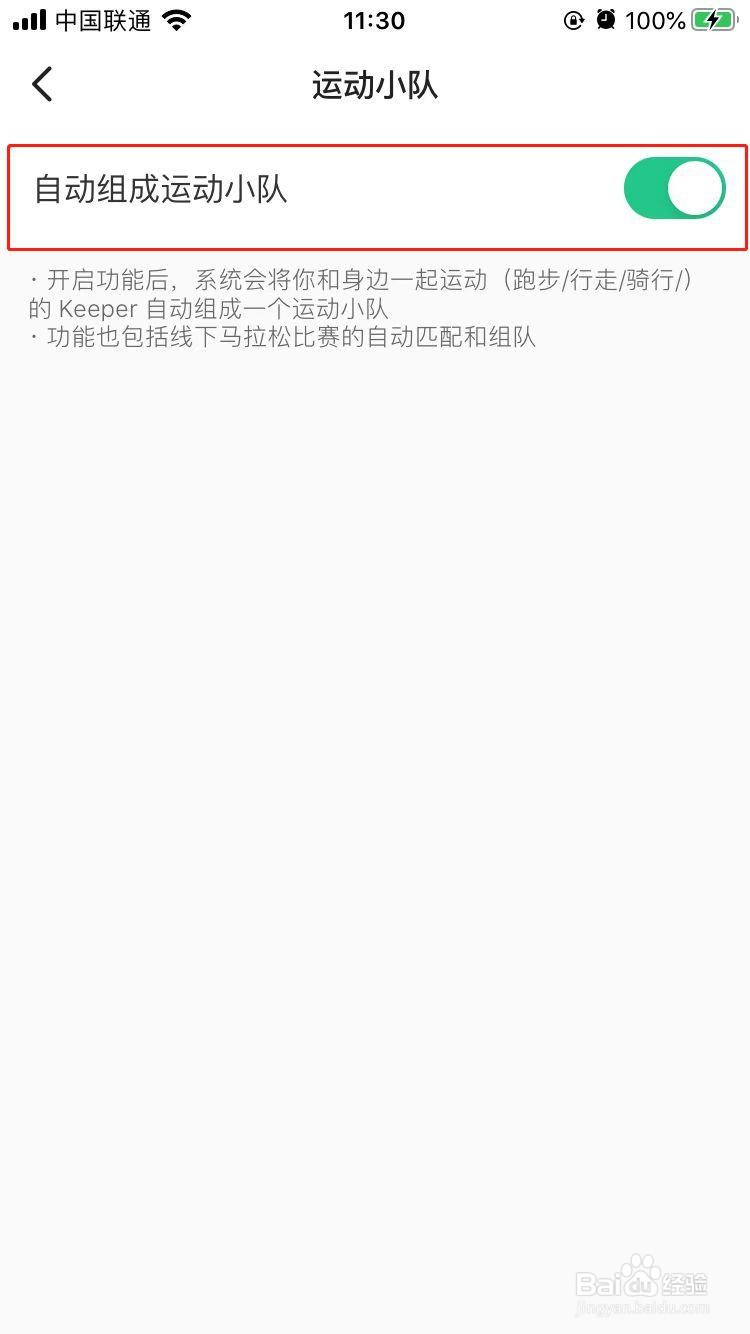
7、7.打开自动组成运动小队的开关,这样系统就会帮助我们组建运动小队了。
Keep如何开启自动组建运动小队

© 2026 长短途
信息来自网络 所有数据仅供参考
有疑问请联系站长 site.kefu@gmail.com