1、首先找到maven的setting.xml配置文件,maven的conf里的是全局的,一般我们建议修改用户目录下面的配置文件
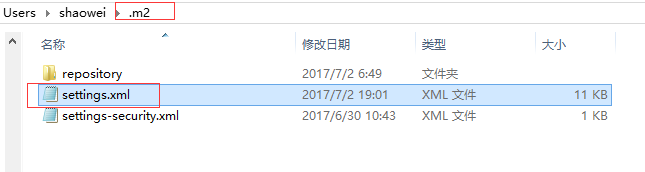
2、在maven的settings.xml文件中添加服务器配置,仓库id、用户名和密码,id需要与上面pom.xml中的仓库id一致
<servers>
<server>
<id>releases</id>
<username>admin</username>
<password>xxx</password>
</server>
<server>
<id>snapshots</id>
<username>admin</username>
<password>xxx</password>
</server>
</servers>
3、在项目pom.xml中文件中的仓库配置
<distributionManagement>
<repository>
<id>releases</id>
<name>Nexus Release Repository</name>
<url>http://192.168.10.6:8081/nexus/content/repositories/releases/</url>
</repository>
<snapshotRepository>
<id>snapshots</id>
<name>Nexus Snapshot Repository</name>
<url>http://192.168.10.6:8081/nexus/content/repositories/snapshots/</url>
</snapshotRepository>
</distributionManagement>
4、再执行mvn deploy,就不会报Unauthorized错误