Photoshop怎么关闭动态颜色滑块

时间:2026-02-14 08:28:28

1、点击Photoshop菜单中编辑菜单

Photoshop怎么关闭动态颜色滑块

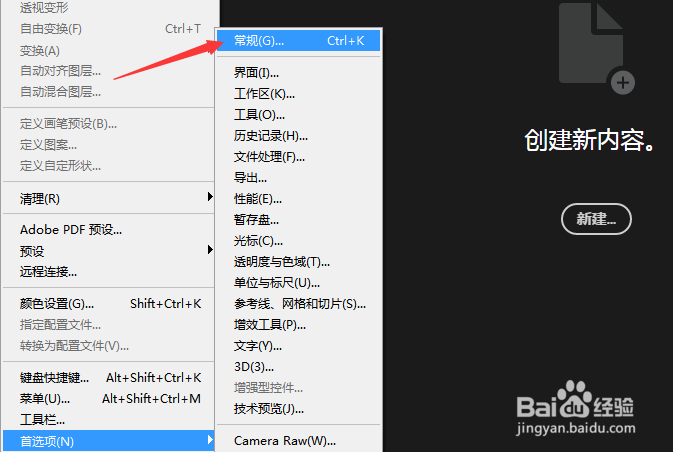
2、弹出了下拉菜单选择首选项

Photoshop怎么关闭动态颜色滑块

3、弹出了下一级菜单选择为常规选项

Photoshop怎么关闭动态颜色滑块

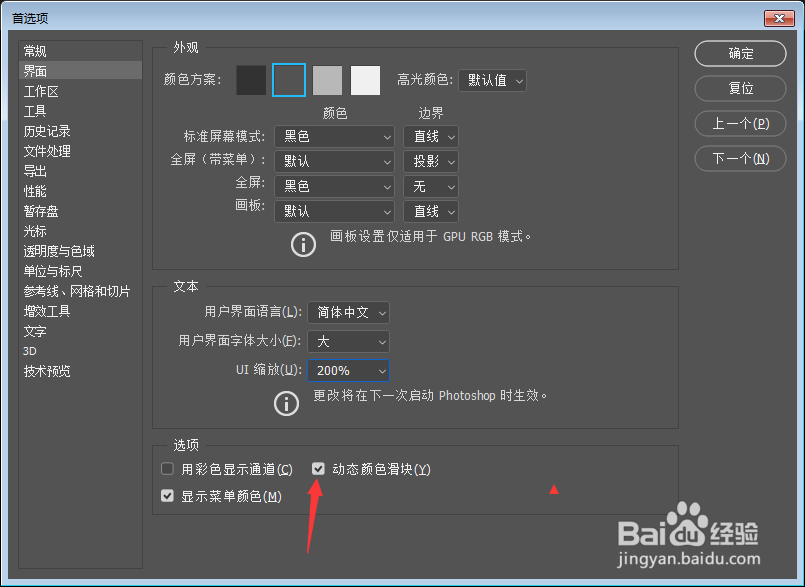
4、点击左侧中界面选项

Photoshop怎么关闭动态颜色滑块

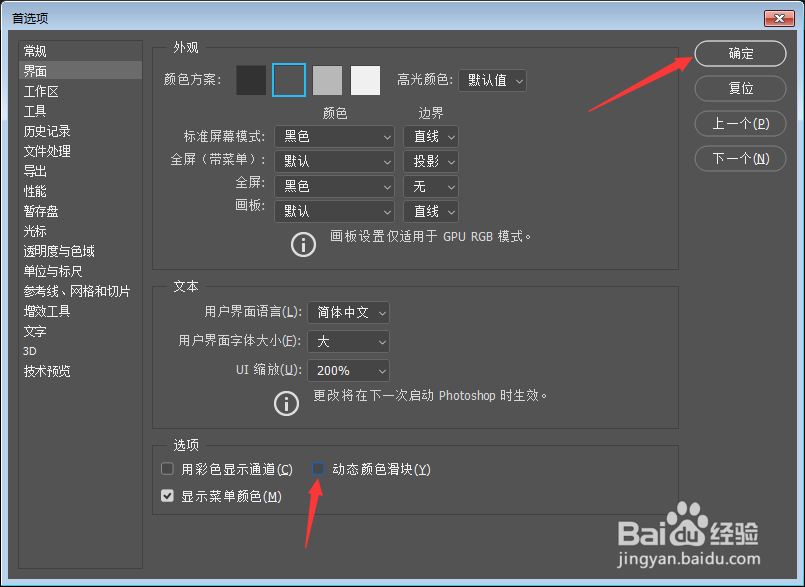
5、去掉动态颜色滑块选项勾选

Photoshop怎么关闭动态颜色滑块

6、去掉动态颜色滑块选项勾选之后,点击确定

Photoshop怎么关闭动态颜色滑块

© 2026 长短途
信息来自网络 所有数据仅供参考
有疑问请联系站长 site.kefu@gmail.com